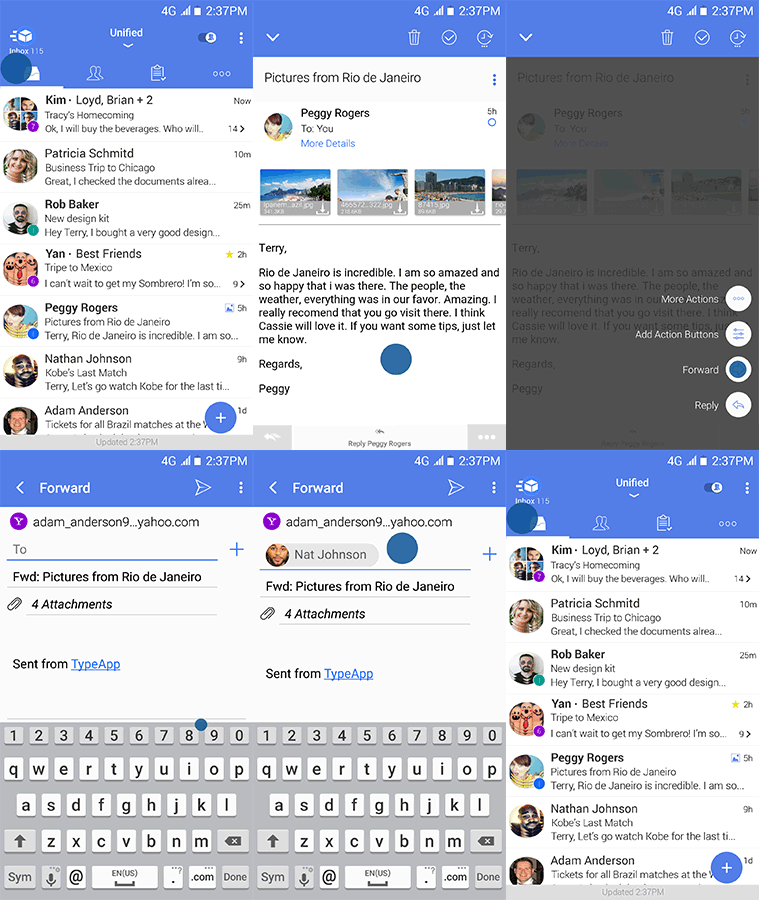
You can Forward an email in one of the following ways.
While in Mail View:
- Use the action button found in the bottom right More (o o o) menu and select Forward.
- Click the 3-dot-Menu in Mail View found on the upper right | Reply Options… | Forward.
You can also configure Forward as a Swipe Action or add it to the Action Buttons using: More (o o o) | Global Settings | Customize Menus.